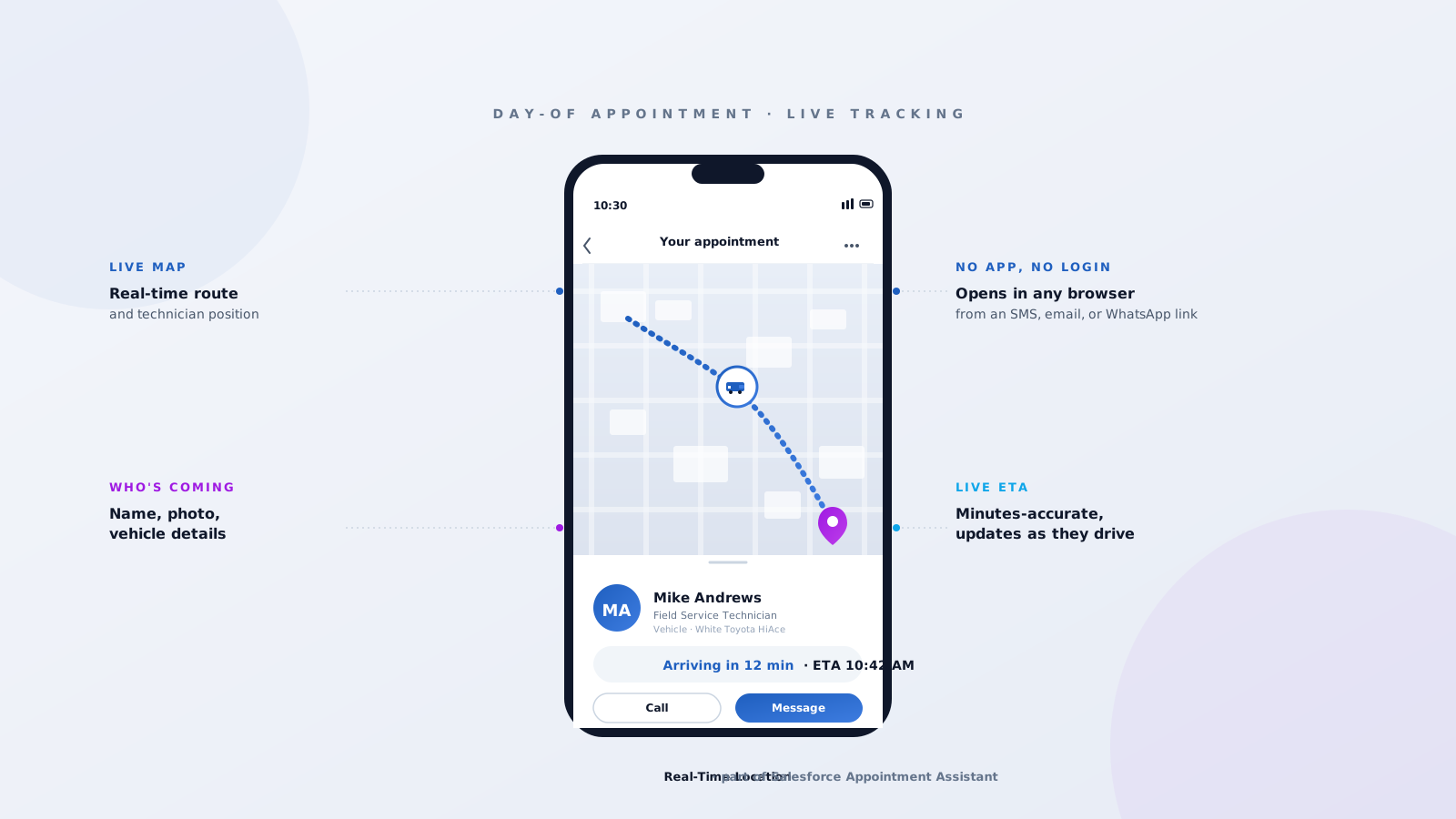
When customers book a ride, order food, or wait on a parcel, they expect to see exactly where their driver is and when they're going to arrive. Field service has been slower to catch up. For years the best a customer could hope for was a four-hour appointment window and a courtesy call when the technician was getting close. Salesforce Appointment Assistant closes that gap. It's an add-on that lets a customer track their technician on a live map, see who's coming, and know to the minute when they'll arrive — exactly the experience they're used to from Uber and DoorDash. Here's how it works, what it does for the customer, and what you need to switch it on.
What Appointment Assistant actually is
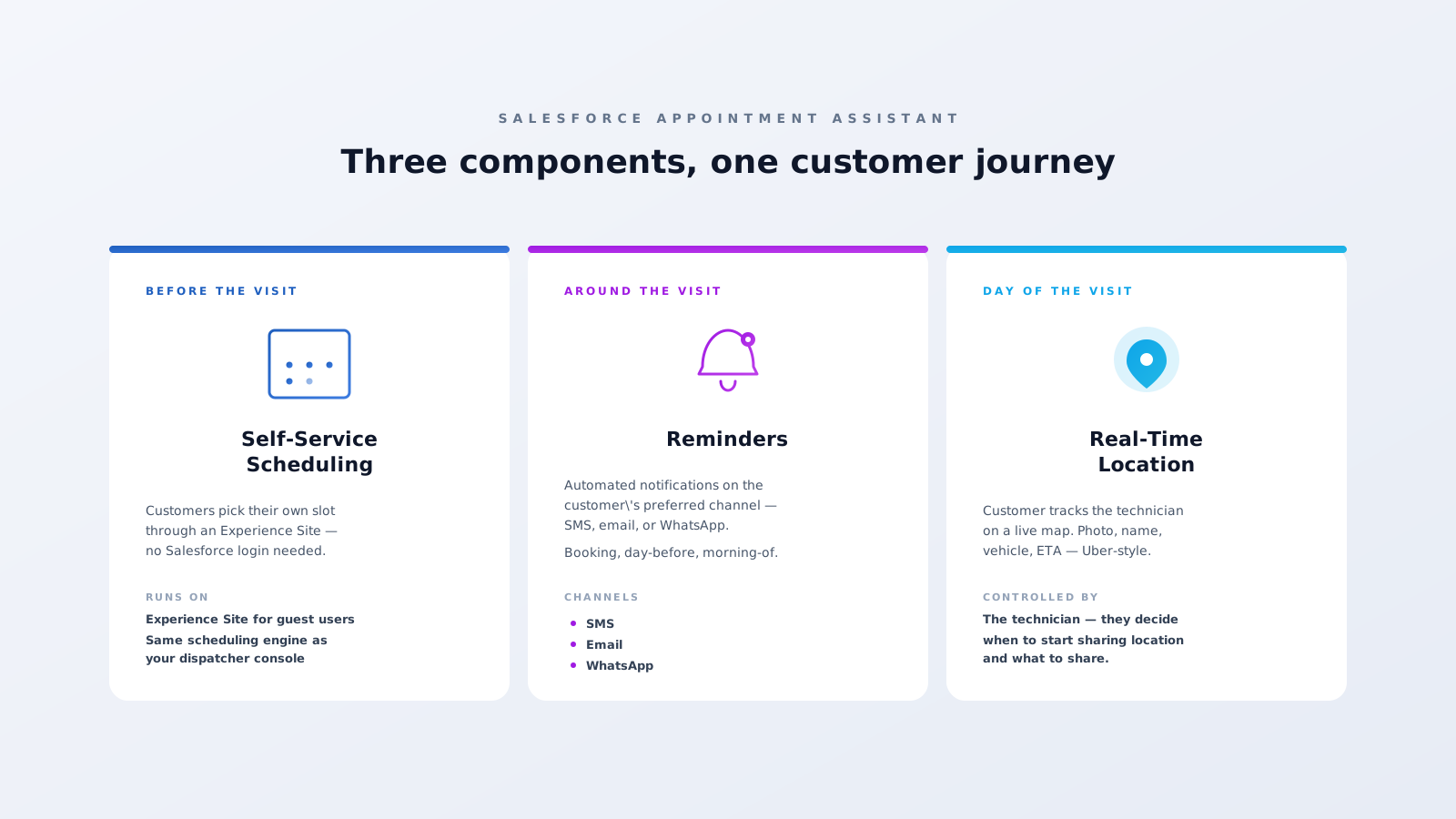
Appointment Assistant is a Salesforce add-on for Field Service. It ships as a managed package that installs on top of your existing Field Service implementation, and it bundles three related capabilities:
- Real-Time Location — the headline feature, the one this post is mostly about. Customers track their technician on a live map.
- Reminders — automated SMS, email, or WhatsApp notifications around the appointment.
- Self-Service Scheduling — customers book and reschedule appointments themselves through a guest-accessible Experience Site.
Real-Time Location is the one most customers will notice, because it lands on their phone exactly when they're starting to wonder where the technician is. So let's start there.
What the customer actually sees
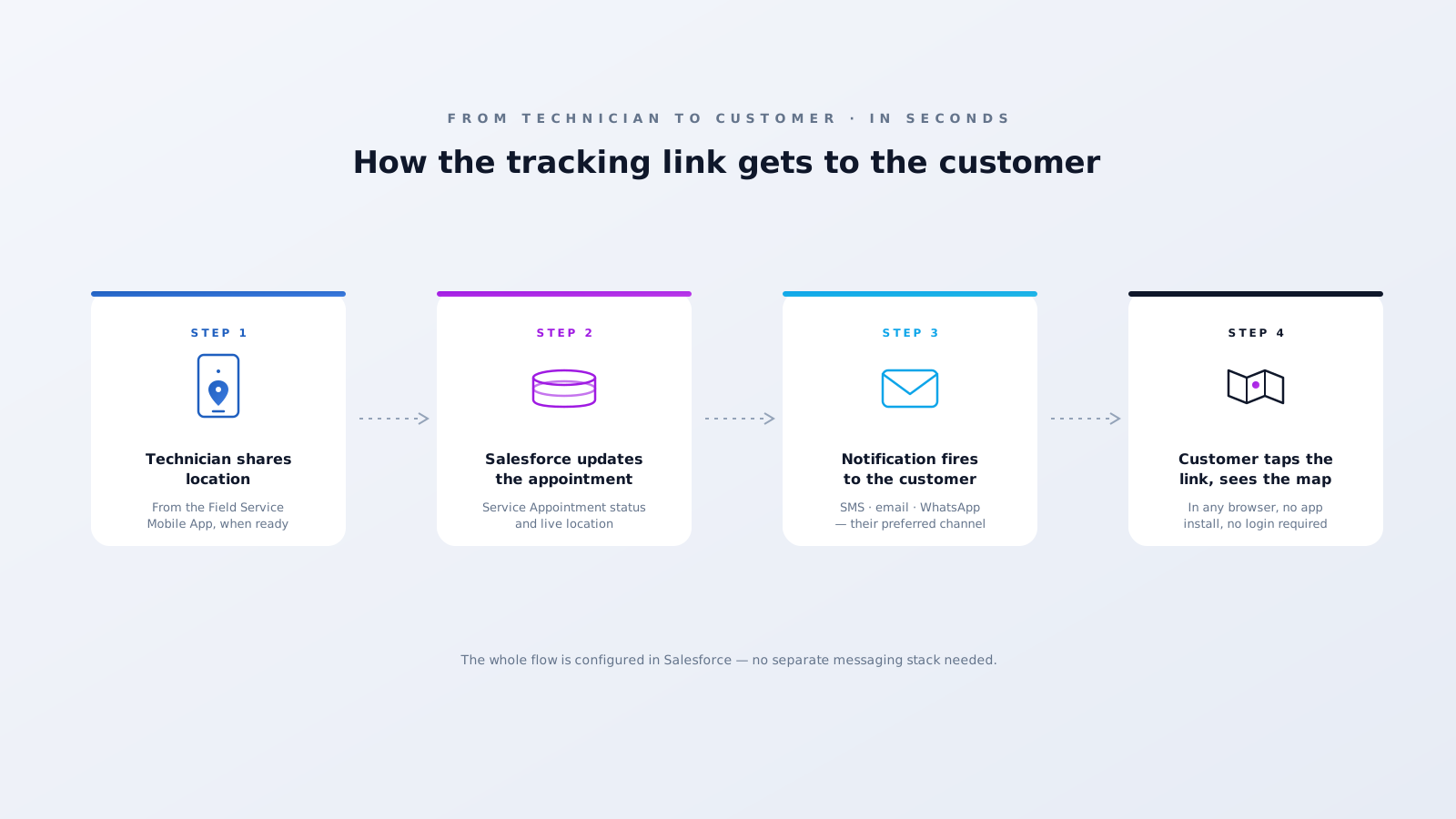
On the day of the appointment, the customer gets a notification on their preferred channel — SMS, email, or WhatsApp — with a link. They tap it, a map opens in their browser, and they see the technician's real-time location on a route to the appointment address. Below the map, a card shows the technician's name, photo, and an ETA.
No app install, no Salesforce login. The link works on whatever phone the customer is already holding. Salesforce themselves describe the experience as Uber-like or DoorDash-like, and that's the right comparison — the screen is deliberately familiar. Customers don't need a tutorial because they've already used the same UX a hundred times for taxis and parcels. That familiarity is doing real work: it removes the question "where is my technician" from the customer's mind and replaces it with the answer.
How the link gets to the customer
The Field Service administrator enables the service in Setup, picks which messaging channels to use, and configures the templates. From there it runs automatically. When the appointment moves into its tracking state, the customer's notification fires through their preferred channel and the tracking link goes out. If the appointment is rescheduled or the technician hits traffic, the page the customer is looking at updates — they don't have to refresh anything, and they certainly don't have to call the dispatch desk to ask "is he still coming?" The answer is already on the phone in their hand.
What the technician controls
Real-Time Location runs on top of the Field Service Mobile App, but it isn't always-on tracking. Salesforce designed the feature so the technician decides when to trigger location sharing and what they share — the goal is customer transparency without surrendering technician privacy. The mobile worker starts sharing as part of their day, the location flows into Salesforce and out to the customer's tracking page in real time, and when sharing stops or the appointment closes, the feed ends.
This control matters more than it might sound. Without it, you're asking technicians to opt into being followed all day, which is a non-starter for most field workforces. With it, the feature works because the technician trusts the system enough to actually use it.
The other two components
Reminders push automated messages at the moments that matter — booking confirmation, day-before reminder, morning-of heads-up, and the day-of tracking link. Each message is templated and routed through whichever channel the customer prefers — SMS, email, or WhatsApp.
Self-Service Scheduling lets the customer pick their own appointment slot through an Experience Site, with no Salesforce login required. The component talks to the same scheduling engine your dispatchers use, so it only offers slots that are actually available given your Operating Hours, Shifts, and skill requirements. Anything the customer books is already a valid assignment.
Together with Real-Time Location, the three components cover the full customer journey: booking, reminders, day-of tracking — all configured in Salesforce, no separate messaging stack to maintain.
What you need to turn it on
Three things have to be in place before any of this works:
- A Salesforce Field Service implementation. Appointment Assistant is an add-on — there has to be Field Service underneath it.
- The Appointment Assistant managed package installed in your org, with the components you want enabled.
- An Experience Site, but only if you want Self-Service Scheduling. Real-Time Location and Reminders work without one.
Beyond install, the configuration work is mostly about messaging templates, channel preferences, the tracking page branding, and which appointment statuses fire which notifications. None of it requires custom development — it's all Salesforce Setup.
The takeaway
Appointment Assistant turns a four-hour appointment window into a live, tracked experience. The customer always knows where the technician is. The technician keeps control of what they share. And your team doesn't have to build any of the plumbing — it's a Salesforce add-on, configured in Setup. At Fynaxis, we deploy Appointment Assistant alongside Salesforce Field Service implementations where the customer experience needs to match what people are getting from delivery apps. If your customers are still calling dispatch to ask "is the technician on the way," this is what fixes it. Get in touch.