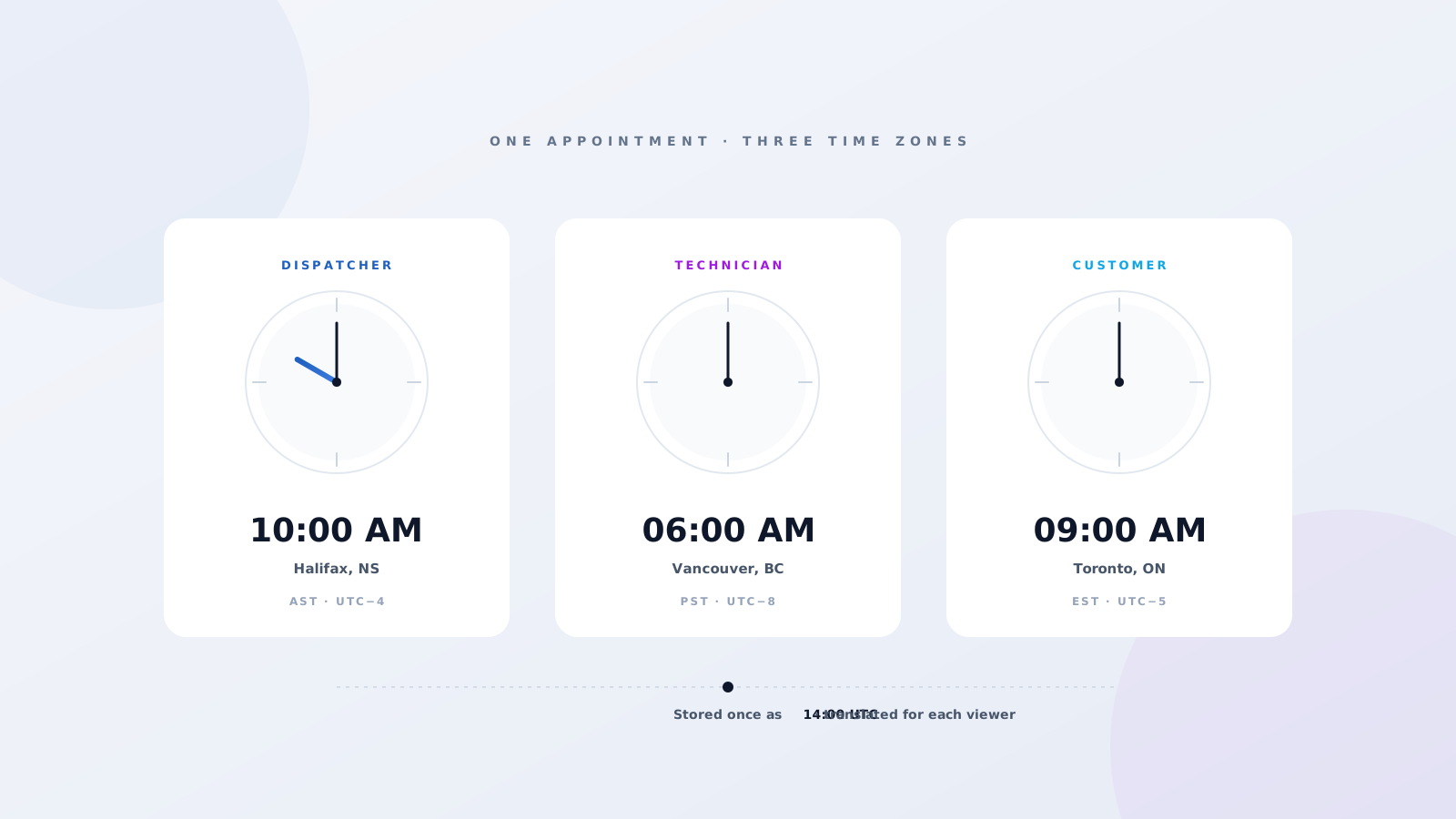
Time zones sneak into more field service problems than skill mismatches and parts shortages put together. The classic one — a 9:00 AM appointment booked in Halifax that the technician shows up for at 9:00 AM Vancouver time — is just the loud version. The quiet version shows up in customer SMS reminders, SLA clocks, and shift coverage every day, and it's tough to spot until something breaks. Salesforce Field Service is built so it doesn't have to. Every appointment is one UTC fact, translated three ways for the three people who actually care: the dispatcher, the technician, and the customer. When everything's set up right, nobody ever sees a UTC timestamp — they all just see their own local time.
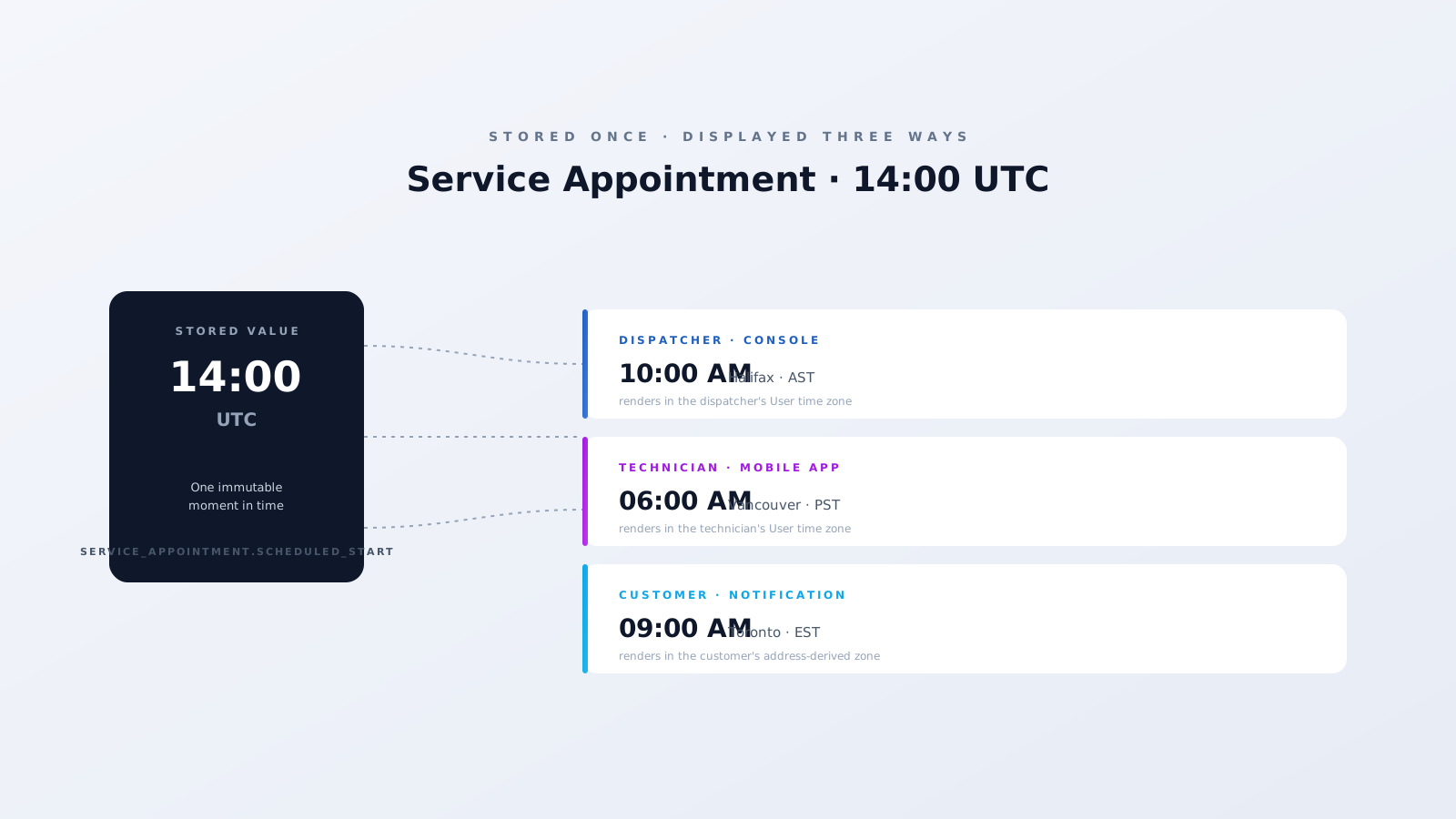
One stored value, always UTC
Every datetime in Field Service — Scheduled Start, Scheduled End, Earliest Start, Due Date, the lot — is stored as UTC. There's no separate "Halifax start time" sitting next to a "Vancouver start time." There's one number, and Salesforce translates it on the fly when it surfaces in a console, on a phone, or in an email. So when you're ever debugging a "wrong time" complaint, the value in the database is almost always fine. The bug is somewhere in the rendering chain.
Where time zones actually live
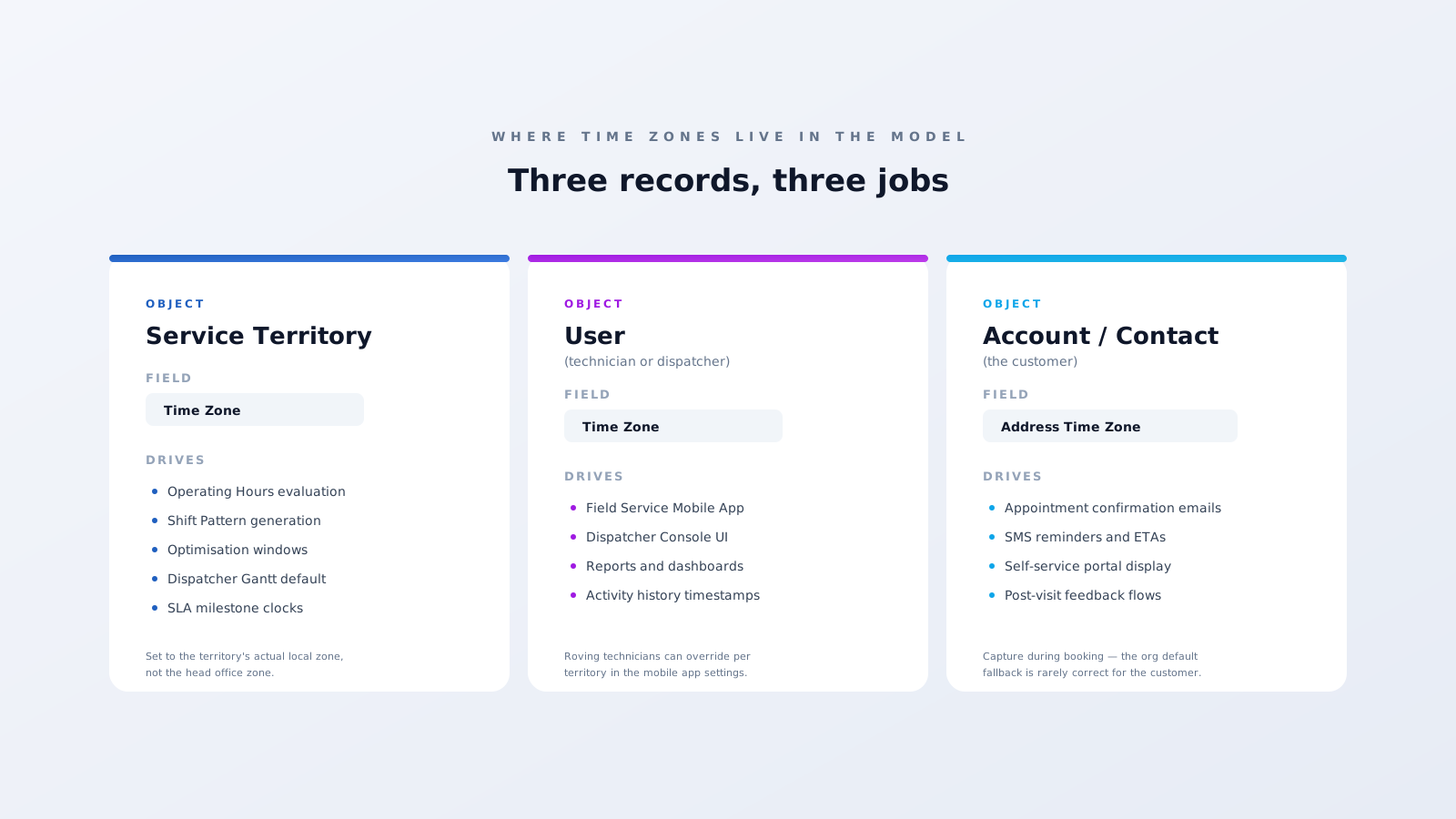
Three records carry time zones in Field Service, and each one does a different job.
Operating Hours. The Operating Hours record itself has a Time Zone field. Your Service Territory points at an Operating Hours record, and that's what tells the scheduling engine "this territory works on America/Toronto time." Operating Hours evaluation, Shift Patterns, optimisation windows — they all read the zone from here. So when people say "the territory's time zone," they really mean the time zone on the Operating Hours record the territory is linked to.
User. Every Salesforce User has a Time Zone on their record. That's what the dispatcher console renders times in by default, and it's what the Field Service Mobile App shows the technician — unless they've flipped on the per-territory override, which most roving technicians do.
Customer. This one's a bit looser. Out of the box, customer-facing comms render in whatever zone the running user or org default is set to — usually wrong for a customer in a different region. Most teams add a Time Zone field to the Account or Contact and read from that in their notification flows. The trick is to capture it during the booking process so it's filled in from day one, not bolted on later.
What this looks like in practice
Picture a real scenario. A dispatcher in Halifax (AST) schedules an appointment at 14:00 UTC. They see "10:00 AM" on their console because they're on Atlantic time. The Service Territory is "Greater Toronto" and its Operating Hours are set to America/Toronto, so the engine evaluates the appointment as 09:00 EST when it checks Operating Hours and Shift availability. The technician — based in Mississauga, also EST — opens the mobile app and sees "9:00 AM Tuesday." The customer at the appointment address gets an SMS that reads "9:00 AM Tuesday." Three views, three local times, one stored UTC value. Nobody converts anything by hand.
Now flip it. A roving technician based in Vancouver gets dispatched into the same Toronto territory for a one-week project. The dispatcher still sees 10:00 AM AST on their console. The territory is still EST so the engine still evaluates 09:00 EST. But the technician's mobile app shows 6:00 AM, because that's their User zone. Easy fix: turn on the Mobile App's per-territory override and the technician sees Toronto time when they're on Toronto jobs.
Where it goes wrong
Five things cause most of the time zone bugs in Field Service:
- Fixed offsets instead of named zones. Always use America/Halifax, never "UTC−4." The named zone handles daylight saving for you. Fixed offsets break twice a year and nobody notices until customers do.
- Wrong Operating Hours zone. Your "Toronto" territory is pointing at an Operating Hours record configured for America/Halifax because someone copied it. The whole region's scheduling silently runs on the wrong clock.
- Dispatchers in different zones reading the same appointment. Two dispatchers, two different times on screen for the same job. Either standardise the dispatch team's User zone, or train them to switch the console to "Territory Timezone" view.
- Hardcoded zones in formulas and Flows. TZoffset() with a magic number is a time bomb. Always read the zone from the related Operating Hours, User, or your customer Time Zone field.
- No customer time zone captured. The customer is in EST, your org default is AST, the SMS goes out in AST. They show up an hour wrong. Add a Time Zone field to Account or Contact and capture it during booking.
The takeaway
When time zones are configured properly, Field Service does the translation work invisibly. The dispatcher books in their zone, the technician arrives in theirs, the customer reads their reminder in theirs, and the data underneath stays consistent — one UTC value, three local views. When configuration drifts, it's nasty to debug because the database always looks correct — the bug is in the rendering chain, not the data.
At Fynaxis, we audit time zone setup as part of every Salesforce Field Service implementation and health check. If your dispatchers and technicians are reading different times for the same job, this is where to start. Get in touch.